
First published in Selling From the Beach on August 3, 2026.
There is a file on my computer with 600 corrections in it. Every one is something I told my AI after it handed me work I didn't like.
The system could not be simpler: before the AI does anything, it has to read that file. That's it. Every no I have ever said, in plain English, sitting in front of it every time it starts. I took a look at it, and I sound like a very tired manager.
Why does AI keep making the same mistake?
A correction that lives in the chat dies with the chat. Tomorrow's session starts from zero and makes yesterday's mistake with full confidence. I spent months in that loop, fixing the same things over and over and calling the tool dumb. The tool wasn't dumb. It just couldn't remember, and I was letting every lesson disappear.
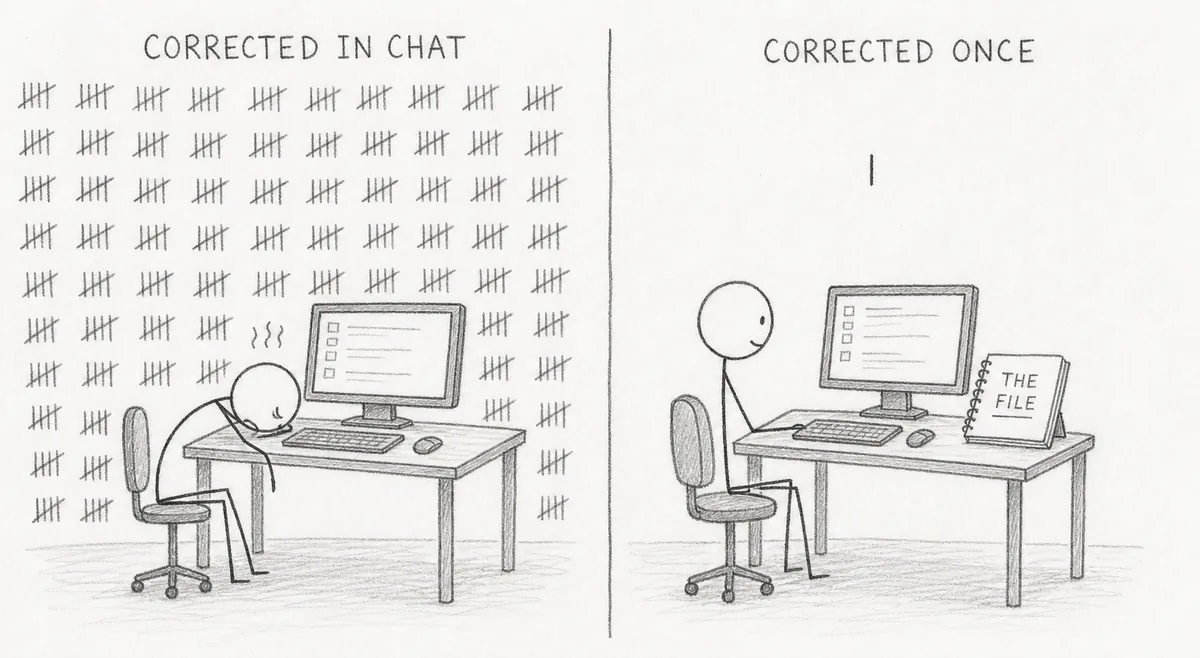
What changes when you write a correction down?
Writing it down changes what a correction is worth. It ends that avenue of errors in theory. In practice, it sometimes makes the same mistakes, but much more rarely.
And it solves a problem I didn't know I had: I could never have written my standards out up front. Nobody can. I don't know what I want until I see what's wrong. But a miss? A miss I can spot instantly. So the file wrote itself, one no at a time, and 600 “No’s” later it describes what I want better than anything I could have produced from a blank page.
Reject enough, in writing, and you eventually land exactly where you wanted to be: first drafts that have already cleared 600 objections before you ever see them.
How to make Claude remember across chats in the Claude app
- As of October 2026, Instructions for Claude are account-wide settings that apply to all of your conversations with Claude.
- Project instructions only apply to chats within that project.
- Anything you upload to project knowledge is used across all of your chats within that project.
- Claude saves memory as individual topics as you chat. You can tell it to “remember this” or edit any topic in Settings > Memory.
- Memory is on by default for Free, Pro and Max plans; on Team and Enterprise each member turns it on, once an owner allows it.
- On paid plans, you can ask Claude to search your previous conversations.
How to make Claude remember a correction in Claude Code
Claude Code is Anthropic's coding tool that reads your files, edits them and runs commands.
As of October 2026, each Claude Code session starts fresh, and two things carry knowledge across sessions:
- CLAUDE.md files are instructions you write in plain text. Claude reads them at the start of every session.
- Auto memory is a set of notes Claude writes itself from your corrections and preferences.
Anthropic says to add a line to CLAUDE.md when Claude makes the same mistake twice or you retype a correction from last session.
The same docs say to keep each CLAUDE.md file under 200 lines, because longer files use more context and get followed less closely.
Can you do this without the terminal?
Yes. The Claude desktop app lets you skip the terminal entirely, and it includes Claude Code, though a paid subscription is required.
Anthropic's memory docs say you can ask Claude to “add this to CLAUDE.md”. In the terminal version, /memory opens the files to edit yourself.
Keep reading
- How To Build A SOP (And Stop Doing Absolutely Everything). SOP stands for standard operating procedure.
- Amazon AI Listing Changes: You Now Have to Opt Out
- More Amazon guides from Selling From the Beach